

Assigned: Quote for customer ABC → Nguyen An
Task accepted — personal calendar updated
Automatic reminder: due in 1 day
Done on time — report updated instantly
Why you need task management
Work assigned in chats, reminders by word of mouth — tasks slip, deadlines pass
BeforeManual assignment
- Work assigned in chats and meetings — nobody writes it down
- No idea who is overloaded and who has capacity
- Delays are found too late, with no reminders
- Reports are compiled by hand at month-end
With SP365Task management with SP365
- Assign work from plans or discussions — anytime, anywhere
- Track progress visually by dragging task statuses
- Automatic alerts and smart reminders before deadlines
- Reports and dashboards update with progress automatically
How it works
A task from assignment to done
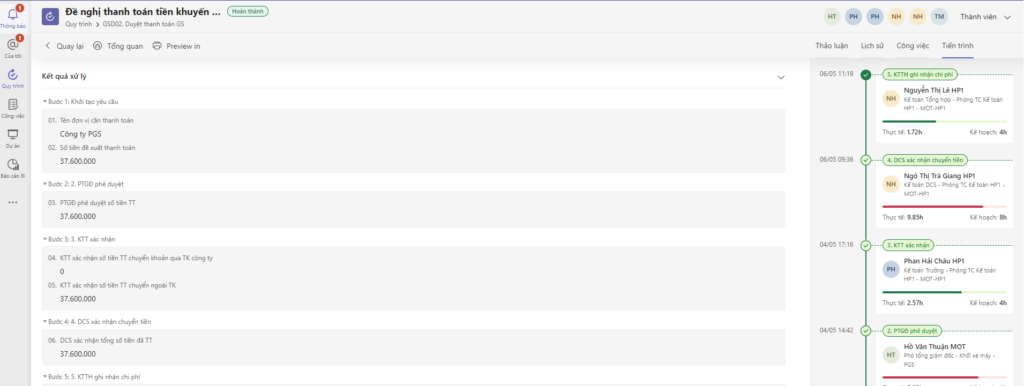
Assigning a quote task — no more forgotten work, no more finding out about delays too late. The images are real screens.
-
01
Assign from a plan or a discussion
Create the task and pick the assignee by group, position or department; their personal calendar updates automatically.
-
02
Discuss inside the task
Description, due date, attachments and discussion history sit in one place; @mention the right person.
-
03
Automatic deadline reminders
Drag between In progress and Done; the system alerts and reminds people before the deadline.
-
04
Review with data
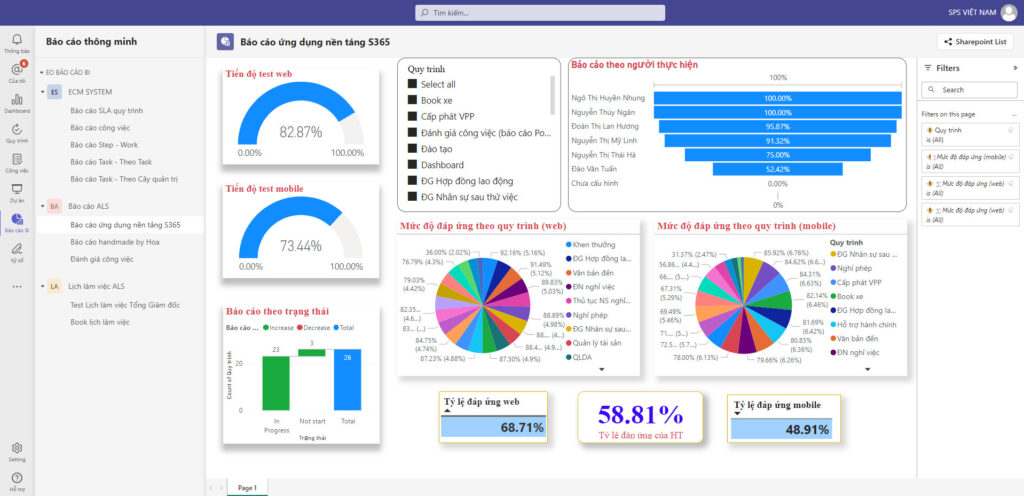
Dashboards show completion rate, overdue tasks and workload by person and department — so you know who needs help.
Connected on Microsoft 365
No more forgotten tasks
From assignment to completion, every task is tracked, reminded and recorded automatically.
ExampleA task from assignment to done
- SAssignfrom a plan or discussion
- Personal calendarupdated automatically
- Discuss, @mentioninside the task
- Automatic remindersbefore the deadline
- Performance reporton the dashboard
Real results
Read customer stories Companies already running on SP365
Khai Anh GroupOne of Vietnam’s 500 largest companies · Import/export
30%saved on paper and voucher handling100%of import/export processes digitized
ASG CorporationAviation – Logistics – Industrial infrastructure
Group-wideone standardized process systemReal timeprogress and KPI dashboards for the board
FAQ
Before you start, companies often ask
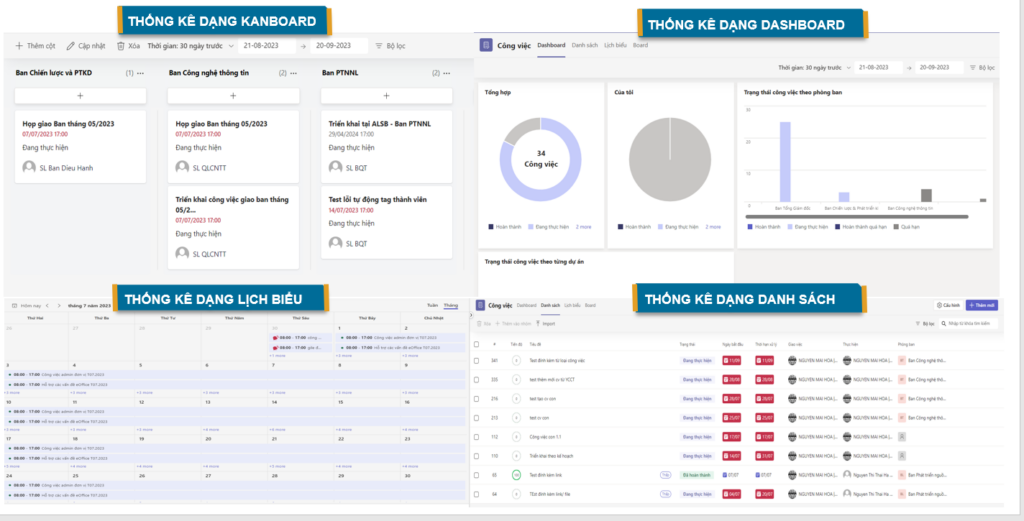
Everyone picks the view that suits them — Kanban, list, calendar or dashboard — all on the same data.
Task management focuses on the daily work of people and departments; project management is for plans with many work packages, milestones and resources. Both modules share data, so they can be deployed together.
No dedicated servers are needed. SP365 runs on the Microsoft 365 your company already uses — SharePoint Online, Teams and Outlook. If you don’t have Microsoft 365 yet, SPS advises on the right licenses.
It depends on scope and customization. After the assessment, SPS proposes a phased roadmap so you can use the most important parts first.
Get started today
A more effective team from next week
Book a demo to see how SP365 helps your departments assign, track and review work.