

Data connected from workflows, projects and tasks
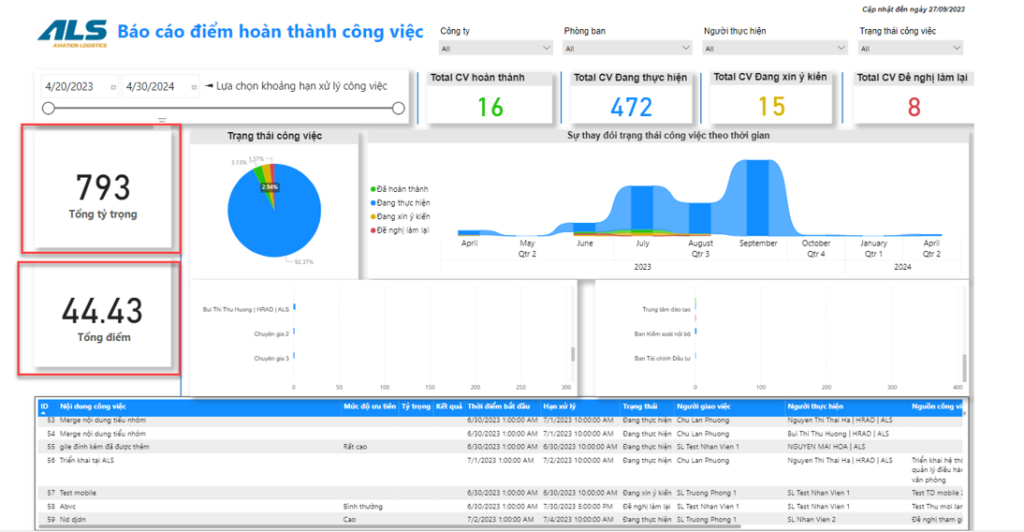
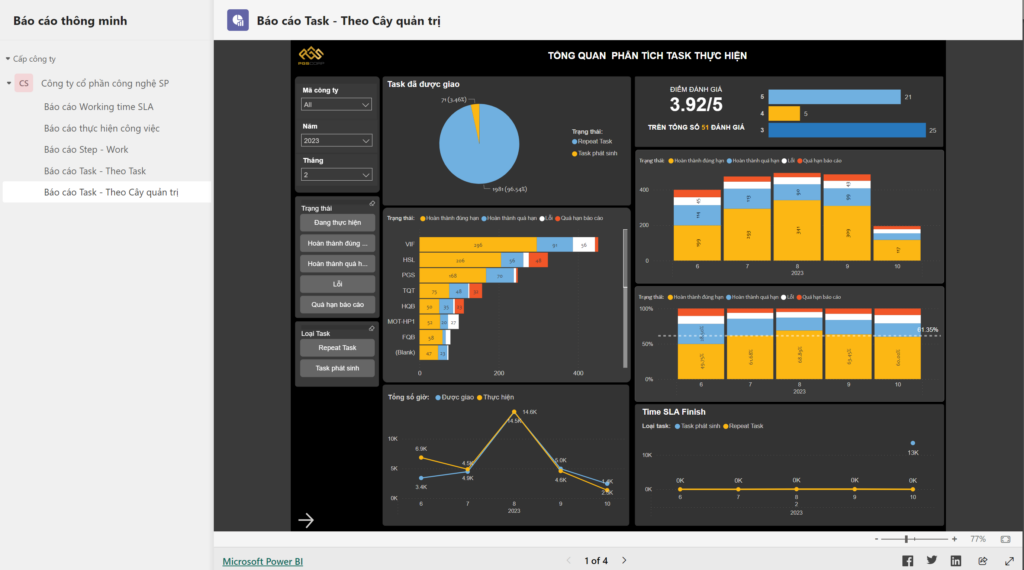
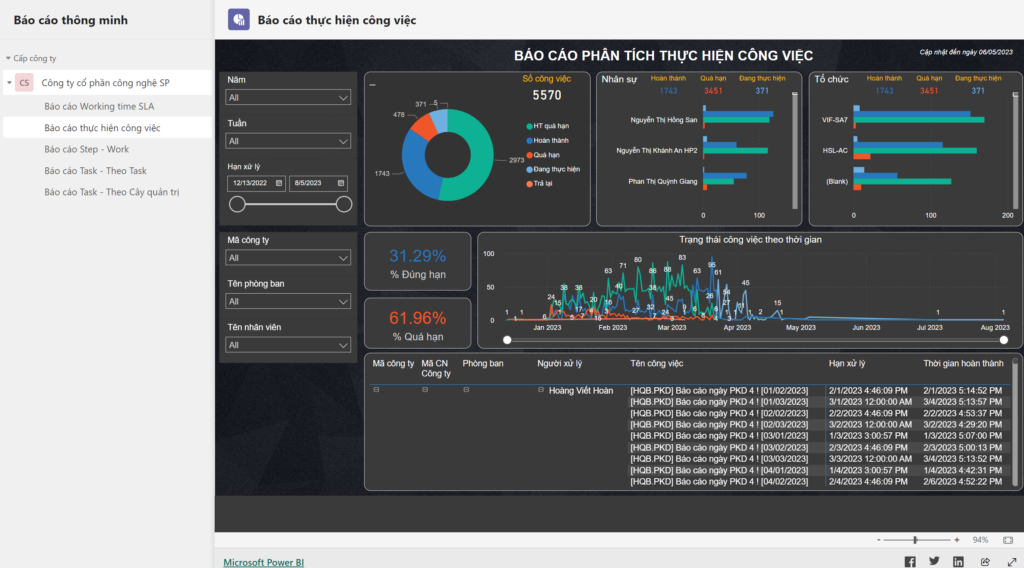
Workload by department
Completion trend over the last 6 months
On-time rate against SLA
Figures update themselves — no manual roll-ups
Why automate reporting
Excel reports at month-end — already out of date when they arrive
BeforeManual reporting
- Compiled by hand from many files and departments
- Late figures that don’t match between sources
- To see details you have to ask the report author again
- Every new report means changing the data structure
With SP365Power BI on SP365
- Metadata defined automatically in tasks, workflows and projects
- Business figures updated continuously, automatically and accurately
- Visual charts, ready to drill down to the detail
- Open data sources connect CRM and ERP without affecting the system
How it works
From operational data to decisions
Figures are created inside workflows, projects and tasks — reports stay current without anyone compiling them by hand. The images are real screens.

-
01
Define metadata in daily operations
Set up metadata in tasks, workflows and projects to power reports — without changing the system structure.
-
02
Connect the data sources
Power BI reads data from SP365 and your existing CRM and ERP systems securely through the Power BI Gateway.
-
03
Dashboards that keep updating
Reports built for your management needs, with figures updated automatically and accurately.
-
04
Drill down and decide
Go from the overview chart down to detailed figures by unit, person or process when you need to.
Data connection
Every data source in one management picture
Data from SP365 modules and your CRM and ERP systems is connected to Power BI — management sees figures instantly, without waiting for manual roll-ups.
Data sources
WFWorkflowsApprovals, SLA
PRJProjectsProgress, resources
TASKTasksWork items, performance
DMSDocumentsDocument metadata
CRMCRMCustomers, deals
ERPERPFinance, purchasing, inventory
Power BI
Smart, automated
management reporting
management reporting
DashboardTrendsMetadataDrill-downReal timeBy unit
Power BI GatewaySecure data connection
Business outcomes
Instant figures for management
Reports that match management needs
Spot trends early
One consistent source of figures
No more manual roll-ups
Real results
Read customer stories Companies already running on SP365
Khai Anh GroupOne of Vietnam’s 500 largest companies · Import/export
30%saved on paper and voucher handling100%of import/export processes digitized
ASG CorporationAviation – Logistics – Industrial infrastructure
Group-wideone standardized process systemReal timeprogress and KPI dashboards for the board
FAQ
Before you start, companies often ask
From SP365 modules — workflows, projects, tasks, documents — and your existing CRM and ERP systems, connected through the Power BI Gateway.
No. Metadata is defined inside tasks, workflows and projects, so new reports can be built without affecting the system structure.
No dedicated servers are needed. SP365 runs on the Microsoft 365 your company already uses — SharePoint Online, Teams and Outlook. If you don’t have Microsoft 365 yet, SPS advises on the right licenses.
It depends on scope and customization. After the assessment, SPS proposes a phased roadmap so you can use the most important parts first.
Get started today
Make decisions with data
SPS experts review your reporting needs and build the management dashboards that fit your company.