

Lotus room selected · 2:00 – 4:00 PM (available)
Booking sent — waiting for approval
Approved automatically by rule
Calendar synced for the attendees
Reminder before the meeting
Why manage shared resources
Booking rooms and cars by chat message — double bookings and waste
BeforeManual booking
- Rooms and cars booked by message or in a notebook
- Double bookings — you find out when you arrive
- No idea which resources sit unused
- No measure of actual usage time
With SP365Resource booking with SP365
- Internal resources clearly categorized and visible
- Easy booking, quick choices
- Automatic approval, history synced to the calendar
- Accurate measurement of resource usage time
How it works
Book a room for a meeting in 4 steps
Choosing, approving, calendar sync and reminders happen automatically — users just pick and submit. The images are real screens.

-
01
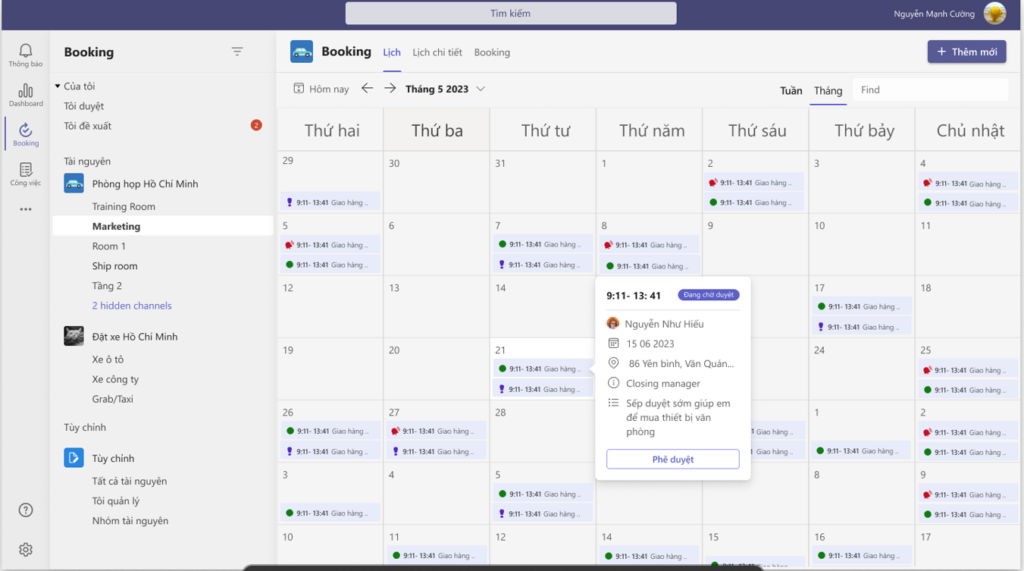
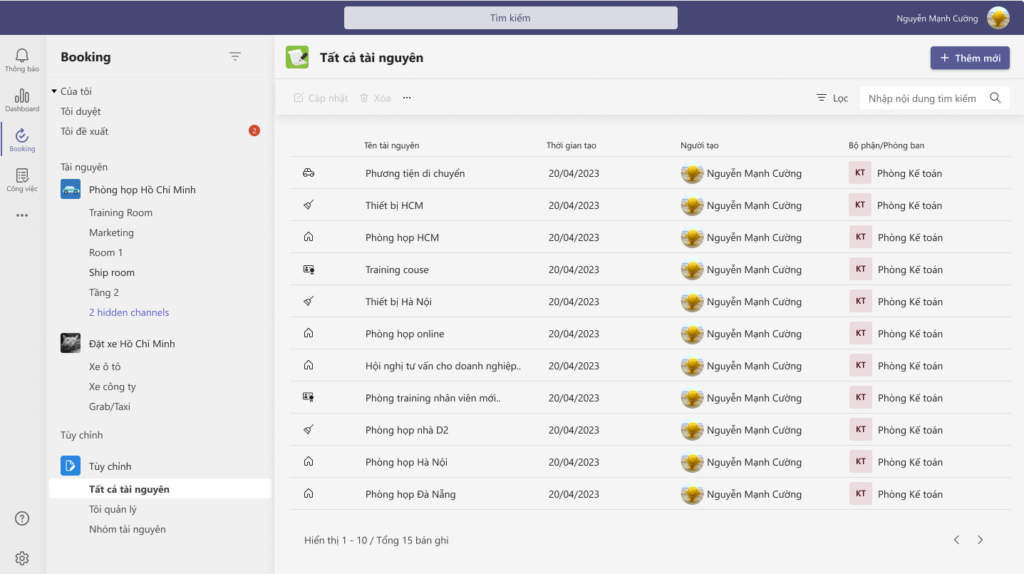
See what is free
Rooms, cars and equipment are categorized with photos; the weekly calendar shows which time slots are free.
-
02
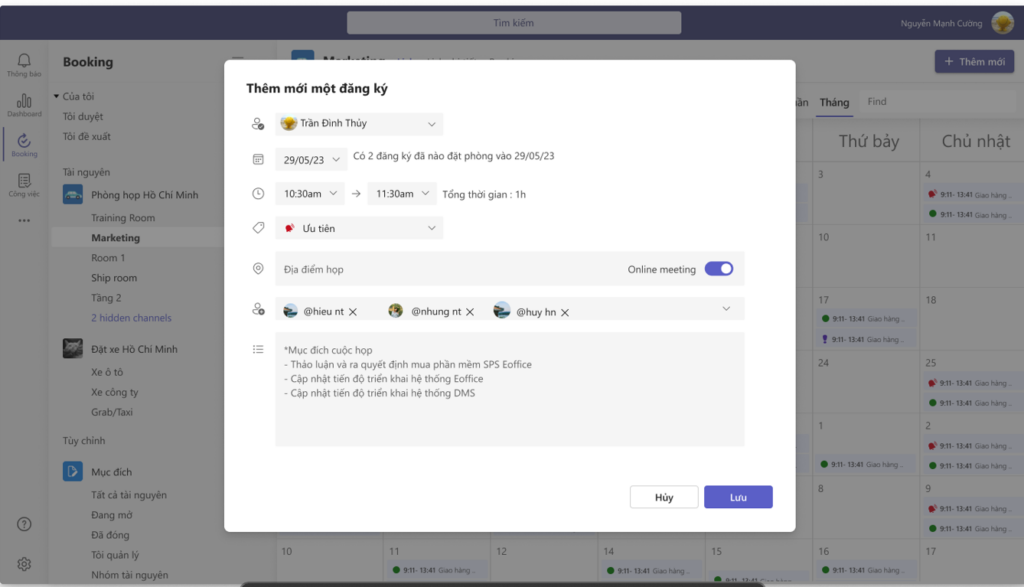
Book in one form
Choose the resource, time and attendees in one form — no messages, no notebooks.
-
03
Automatic approval
Approved automatically by rule or by the resource manager; track the status of every booking.
-
04
Calendar sync and reminders
The booking is synced to attendees’ calendars with a reminder beforehand, and usage time is measured accurately.
Resource types
Manage any shared resource
From meeting rooms and cars to equipment and any other internal resource — set up and managed in one system.
Meeting rooms
No more double-booked rooms.
- Large and small meeting rooms
- Training rooms
- Online meeting rooms
- Capacity and amenities
- Booking rights by department
- Free slots by time
Each resource has its own usage rights, approval rules and calendarGet deployment advice
Cars
Transparent car schedules, ready by day and week.
- Guest pick-up cars
- Business trip cars
- Daily and weekly schedules
- Schedule approval
- Booking per trip
- Usage time tracking
Each resource has its own usage rights, approval rules and calendarGet deployment advice
Equipment
Controlled lending and return of equipment.
- Projectors
- Spare laptops
- Conference equipment
- Cameras and video gear
- Lending and return
- Condition tracking
Each resource has its own usage rights, approval rules and calendarGet deployment advice
Other resources
Any shared internal resource can be set up.
- Hot desks
- Halls and event areas
- Storage areas
- Shared software accounts
- Resources per branch
- Resources per project
Each resource has its own usage rights, approval rules and calendarGet deployment advice
Connected on Microsoft 365
Book a meeting room in one flow
Booking, approval, calendar sync and reminders happen automatically — users just choose and send.
ExampleBooking a room for a customer meeting
- Pick a free roomby time slot
- Bookwith attendees
- Automatic approvalby rule
- Calendar syncin Outlook
- Reminderbefore the booking
Real results
Read customer stories Companies already running on SP365
Khai Anh GroupOne of Vietnam’s 500 largest companies · Import/export
30%saved on paper and voucher handling100%of import/export processes digitized
ASG CorporationAviation – Logistics – Industrial infrastructure
Group-wideone standardized process systemReal timeprogress and KPI dashboards for the board
FAQ
Before you start, companies often ask
Meeting rooms, cars, equipment and any shared internal resource: hot desks, halls, storage areas, shared software accounts…
Yes. Once approved, the booking is synced to attendees’ calendars and the system sends a reminder before it starts.
No dedicated servers are needed. SP365 runs on the Microsoft 365 your company already uses — SharePoint Online, Teams and Outlook. If you don’t have Microsoft 365 yet, SPS advises on the right licenses.
It depends on scope and customization. After the assessment, SPS proposes a phased roadmap so you can use the most important parts first.
Get started today
Share resources more intelligently
Book a demo to see how SP365 manages meeting rooms, cars and equipment for your company.