

New proposal drafted — classified as: Proposal
Sent for approval along the Proposal workflow
Approved and signed by management
Number 45/PR-SPS generated automatically
Issued to the departments concerned
Why you need an e-office
Paper documents going in circles — slow to issue, hard to find
BeforeManual records office
- Handwritten registers, reference numbers assigned by hand
- Paper signing, waiting for managers to be present
- Issued by email, no idea who has received it
- Finding an old document takes ages
With SP365E-office with SP365
- Documents organized by department, group and issuing unit
- Approval workflows automated by document type
- Status updates and numbering generated automatically by type
- Issued quickly company-wide, easy to search by module
How it works
Issue a decision without paper
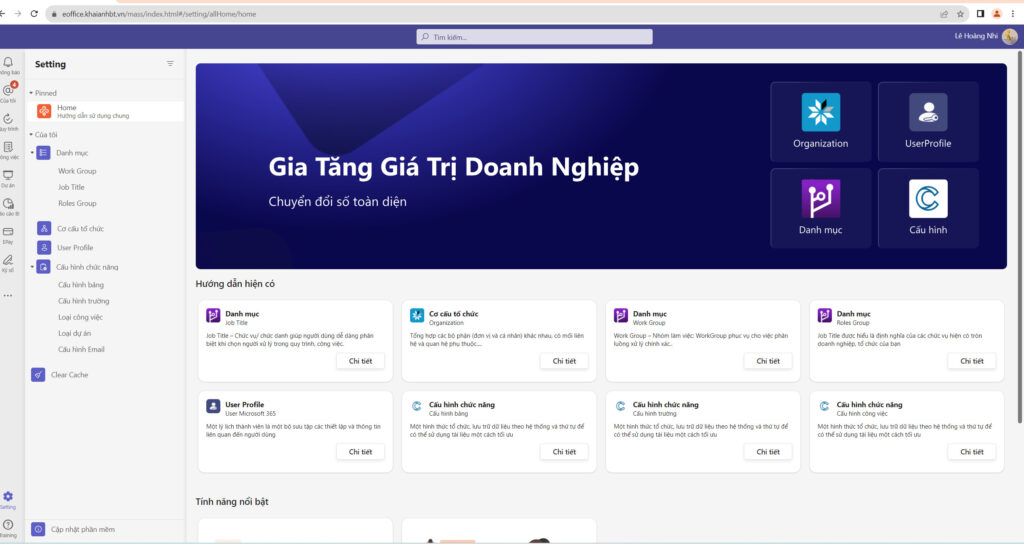
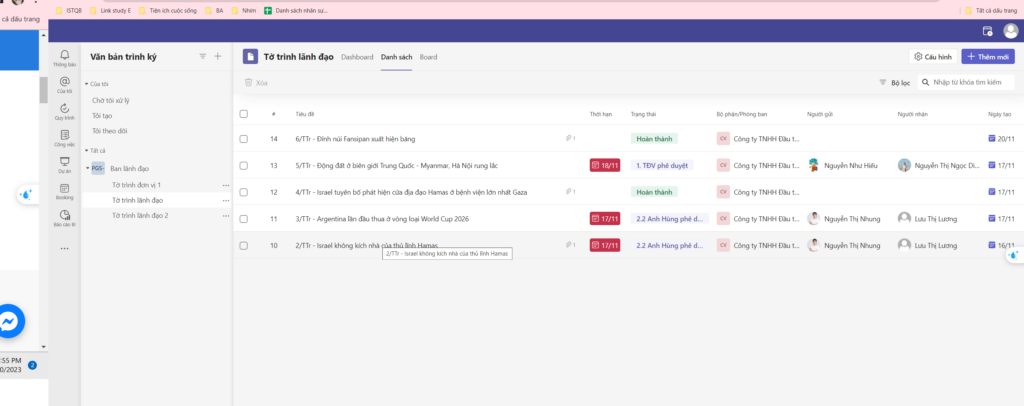
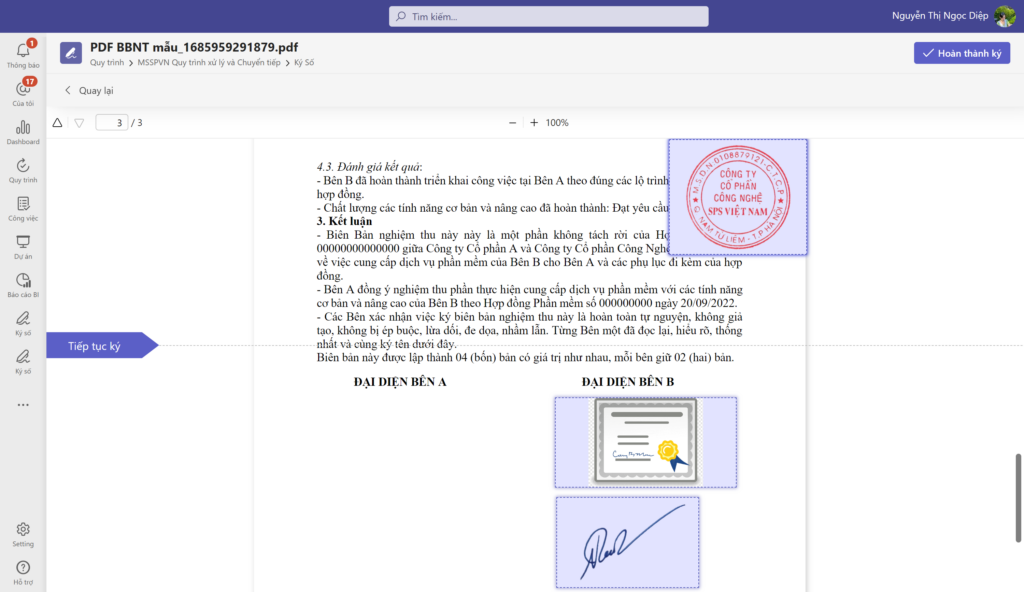
From draft until it reaches the recipients, the status updates automatically at every step. The images are real screens.
-
01
Draft and classify
Create outgoing documents, register incoming ones and choose the type: Decision, Proposal, Report…
-
02
Route through the right approvals
Each document type has its own approval flow; approvers approve, reject or forward in one action.
-
03
Sign and number automatically
Management signs digitally or with an image; the system assigns the reference number by rule.
-
04
Issue and look up
Issue to the whole company or the groups concerned, filed by department and issuing unit; find any document quickly.
Document types
Manage every type of document
Incoming, outgoing and internal documents follow one common model — easy to issue and easy to find.
Incoming documents
Receive, register and route to the right person.
- Letters from government agencies
- Documents from partners and customers
- Invitations and notices
- Incoming register
- Forwarding and assignment
- Archiving and lookup by module
Each document type has its own approval flow, numbering rule and access rightsGet deployment advice
Outgoing documents
Draft, sign, number and issue with a full trail.
- Outgoing letters
- Proposals
- Reports
- Contracts and appendices
- Automatic numbering
- Issuing trail
Each document type has its own approval flow, numbering rule and access rightsGet deployment advice
Internal documents
Issued quickly to the whole company or the groups concerned.
- Decisions
- Announcements
- Policies and regulations
- Meeting minutes
- Plans
- Issuing to departments
Each document type has its own approval flow, numbering rule and access rightsGet deployment advice
Connected on Microsoft 365
From draft to issue without paper
Documents follow the right approval flow, get signed, numbered and issued — with the status updated automatically at every step.
ExampleIssuing a decision
- Drafttype: Decision
- Send for approvalalong the type’s workflow
- Management signson the e-document
- Automatic numberingby the configured rule
- Company-wide issueto everyone concerned
Real results
Read customer stories Companies already running on SP365
Khai Anh GroupOne of Vietnam’s 500 largest companies · Import/export
30%saved on paper and voucher handling100%of import/export processes digitized
ASG CorporationAviation – Logistics – Industrial infrastructure
Group-wideone standardized process systemReal timeprogress and KPI dashboards for the board
FAQ
Before you start, companies often ask
Yes. Each document type has its own numbering rule; the system updates the status and assigns the number when the document is approved and issued.
Yes. Incoming documents are received, registered and routed to the right person, then stored and searchable alongside outgoing and internal documents.
No dedicated servers are needed. SP365 runs on the Microsoft 365 your company already uses — SharePoint Online, Teams and Outlook. If you don’t have Microsoft 365 yet, SPS advises on the right licenses.
It depends on scope and customization. After the assessment, SPS proposes a phased roadmap so you can use the most important parts first.
Get started today
Digitize your records office today
SPS experts review your current document handling and configure the approval flows and numbering rules that fit.