

Contract sent for signature: 3 signers in order
Sales manager has initialled
Director has signed digitally for Party A
Partner ABC has signed digitally for Party B
Complete — signed copy stored in SharePoint
Why go digital
Print, sign by hand, scan, courier — a whole week for one contract
BeforeTraditional paper signing
- Print several copies and wait for managers to be in the office
- Courier contracts back and forth with partners
- No idea whose signature the file is waiting for
- Signed copies on paper, hard to find, easy to lose
With SP365E-signature with SP365
- Sign any document: contracts, minutes, agreements, letters, proposals
- Both digital and image signatures, many signers on one document
- Signers are notified automatically along the workflow
- Signed documents stored directly in Microsoft 365
How it works
Sign a contract with a partner in 4 steps
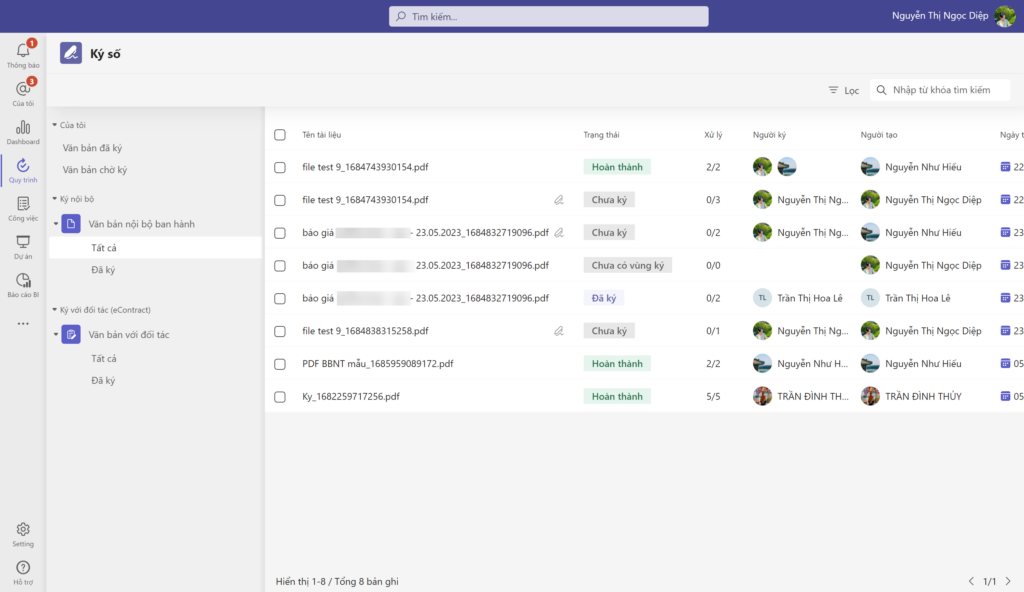
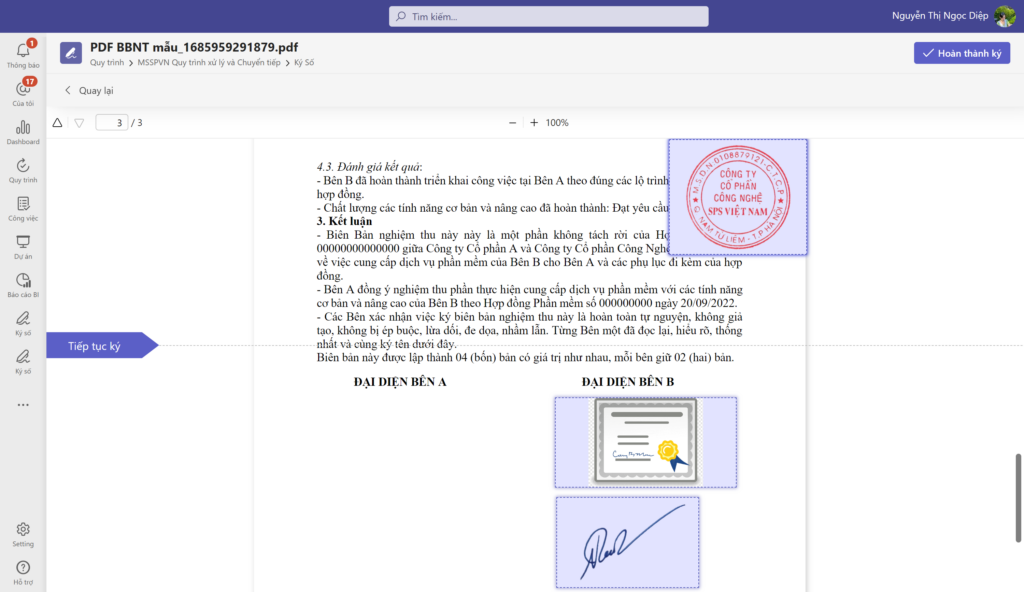
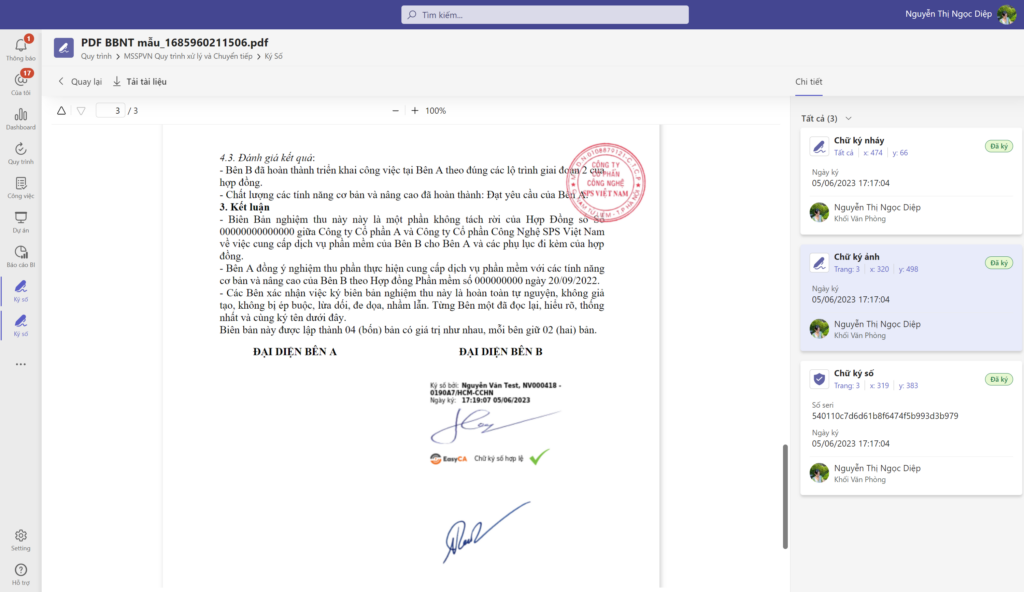
Signing a service agreement — no printing, no couriers, no waiting. The images are real screens.
-
01
Upload the contract
Contracts, minutes, proposals… from your computer or the document repository; see which documents are waiting or signed.
-
02
Choose signers and positions
Set the signing order, choose a digital or image signature, and place it anywhere on the document.
-
03
Signers notified automatically
Each signer is notified in the right order; partners sign directly, with no intermediary.
-
04
Complete and store
The fully signed document, with each signer’s history, is stored right in Microsoft 365.
What gets signed
Sign any type of document online
From partner contracts to internal vouchers — every document can be routed, signed and stored on one platform.
Contracts
Sign with customers, suppliers and partners — no meeting required.
- Sales contracts
- Service contracts
- Contract appendices
- Employment contracts
- Non-disclosure agreements
- Contract termination records
Digital or image signature, many signers on one documentGet deployment advice
Internal documents
Fast routing; managers sign anytime, anywhere.
- Proposals
- Decisions
- Official letters
- Announcements
- Reports
- Meeting minutes
Digital or image signature, many signers on one documentGet deployment advice
Finance & accounting
Digitally signed vouchers with a full record of signers.
- Payment requests
- Cash advance requests
- Debt reconciliation records
- Payment slips
- Settlement files
- Financial statements
Digital or image signature, many signers on one documentGet deployment advice
Purchasing & acceptance
Sign quickly with suppliers and shorten the order cycle.
- Purchase orders
- Delivery records
- Acceptance records
- Approved quotes
- Goods receipt notes
- Handover records
Digital or image signature, many signers on one documentGet deployment advice
Connected on Microsoft 365
Signing built into the workflow
E-signature is built seamlessly into the ecosystem — documents reach the right people in the right order and are stored the moment they are signed.
ExampleSigning a contract with a partner
- Upload the contractto SP365
- Set the signersorder & positions
- Automatic noticeto each signer
- Digital or image signatureanytime, anywhere
- SStore the signed copyin SharePoint
Real results
Read customer stories Companies already running on SP365
Khai Anh GroupOne of Vietnam’s 500 largest companies · Import/export
30%saved on paper and voucher handling100%of import/export processes digitized
ASG CorporationAviation – Logistics – Industrial infrastructure
Group-wideone standardized process systemReal timeprogress and KPI dashboards for the board
FAQ
Before you start, companies often ask
Both: digital and image signatures, several signers on one document, placed anywhere in the file.
Yes. You sign contracts with partners directly on Office 365, with no intermediary.
No dedicated servers are needed. SP365 runs on the Microsoft 365 your company already uses — SharePoint Online, Teams and Outlook. If you don’t have Microsoft 365 yet, SPS advises on the right licenses.
It depends on scope and customization. After the assessment, SPS proposes a phased roadmap so you can use the most important parts first.
Get started today
Sign contracts without paper
Book a session and an SPS expert will demo document routing and e-signature on the Microsoft 365 your company already uses.