

Plan: 4 work packages, 1 go-live milestone
Requirements review — done
Solution design — done
System set-up — updated by drag and drop
User training — done
Go-live on time — progress report generated automatically
Why centralize project management
Projects run on Excel and email — real progress is hard to see
BeforeScattered management
- Plans live in Excel files, everyone has a different version
- Work is assigned by email and chat — easy to miss, hard to trace
- You have to ask each person where the project stands
- Project documents are spread across many places
With SP365Project management with SP365
- Detailed planning, resources allocated by person, position or department
- Visual tracking side by side on a Kanban board and a Gantt chart
- Progress and status updated by your own rules — just drag and drop
- Stored centrally on SharePoint Online, quick to search when needed
How it works
A project on SP365, from plan to report
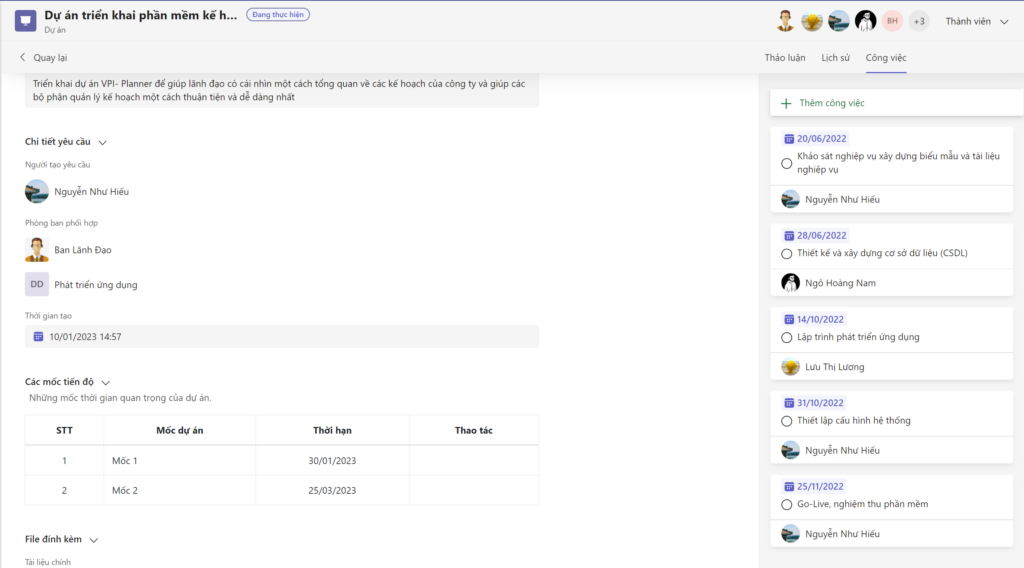
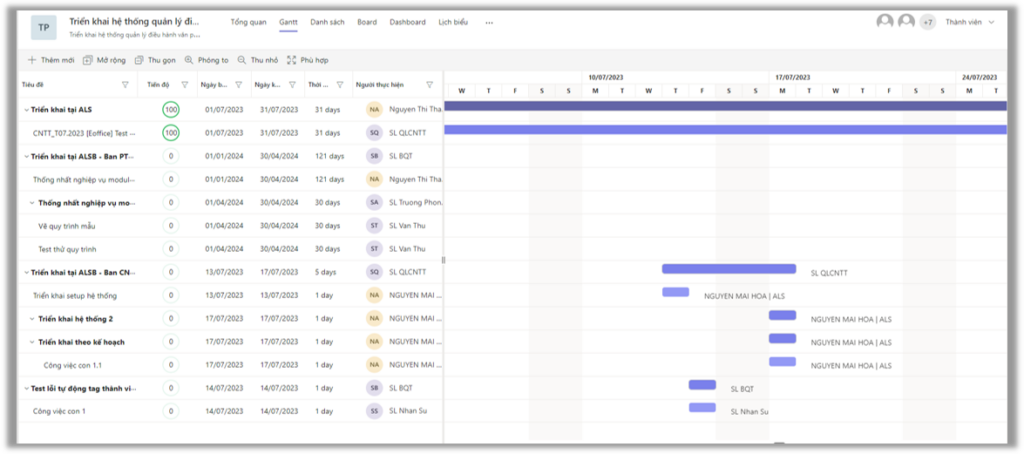
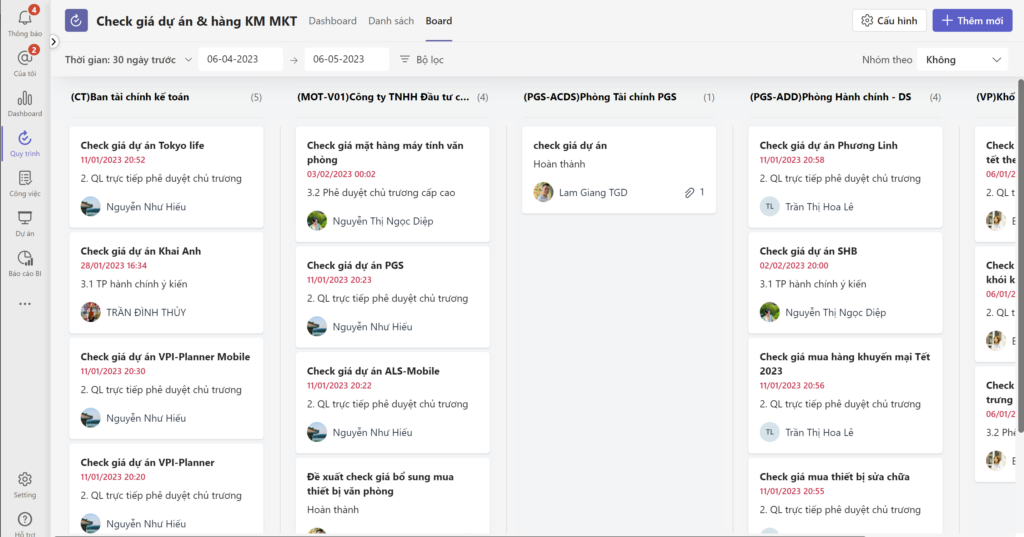
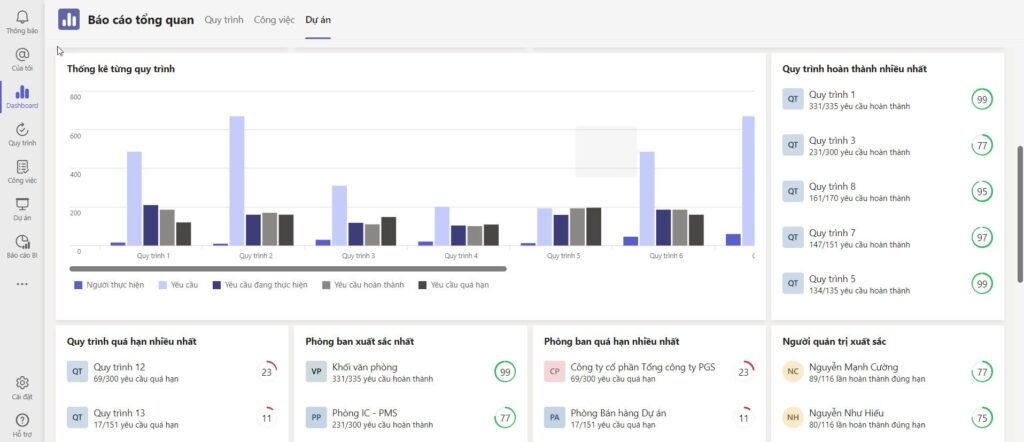
The plan, tasks, documents and reports of a project share one dataset — the images are real SP365 screens.
-
01
Set up the project and team
Create the project, goals, deadlines and invite members; information, documents and discussion live on one screen.
-
02
Plan on a Gantt chart
Break the work into packages, order them over time with milestones, and allocate resources by person, position or department.
-
03
Track on a Kanban board
Drag tasks between status columns; @mention people to remind them and attach files right on the task.
-
04
Automatic progress reports
Progress and workload by project and department are compiled automatically — managers see the status without asking around.
Connected on Microsoft 365
A project that flows from plan to report
The plan, tasks, documents and reports of a project share the same data — no re-typing, no mismatched numbers.
ExampleThe life of a project in SP365
- SCreate projectin SP365
- TTeamworkin Microsoft Teams
- Update progressKanban & Gantt
- SStore project filesin SharePoint
- Progress reportautomatic statistics
Real results
Read customer stories Companies already running on SP365
Khai Anh GroupOne of Vietnam’s 500 largest companies · Import/export
30%saved on paper and voucher handling100%of import/export processes digitized
ASG CorporationAviation – Logistics – Industrial infrastructure
Group-wideone standardized process systemReal timeprogress and KPI dashboards for the board
FAQ
Before you start, companies often ask
Yes. Each project has a workspace on Microsoft 365; members discuss, receive tasks and update progress right in Teams and SharePoint Online.
Yes. The same project data is shown side by side as a Kanban board and a Gantt chart; update it once and both views change.
No dedicated servers are needed. SP365 runs on the Microsoft 365 your company already uses — SharePoint Online, Teams and Outlook. If you don’t have Microsoft 365 yet, SPS advises on the right licenses.
It depends on scope and customization. After the assessment, SPS proposes a phased roadmap so you can use the most important parts first.
Get started today
Run projects more professionally from today
SPS experts review how you run projects today and propose a model that fits on Microsoft 365.